Does an Android Alarm Ring on Silent? Silent, Vibrate and DND
On Android, an alarm usually does ring when the phone is on silent or vibrate, because alarms play on their own audio stream. What most often makes an alarm fail is a different setting: the alarm volume slider turned down, Do Not Disturb rules on some devices, or a battery saver that delays the alarm app.
That answers the question "does my alarm go off on silent?" for the common case, but the exceptions are worth knowing before the morning you cannot afford one.
Why silent mode does not mute an alarm
Android keeps several volume channels apart: ringtone, media, notifications and alarms. Silent and vibrate modes act on the ringer. The alarm channel has its own slider, so a clock app that plays on that channel keeps sounding even when calls and notifications are muted. This is deliberate: an alarm you cannot hear is not much of an alarm.
Where alarms still fail
| What happened | Why | What to check |
|---|---|---|
| Alarm rang, but too quietly to wake you | The alarm volume slider is separate from the ringer and media sliders, and nothing resets it. Turning it down the night before is enough. | Open the sound settings and look at the alarm slider, not the media one. |
| Alarm did not sound at all with Do Not Disturb on | Depending on the device and the DND rules you set, alarms can be suppressed. | Check the DND exceptions and make sure alarms are allowed. |
| Alarm came late or never | Some manufacturers ship aggressive battery savers that can delay or block any alarm app. | Look for battery optimisation or background restrictions for your clock app and switch them off for it. |
| Alarm vanished after a restart | The clock app must re-arm its alarms when the phone boots. | After a restart or update, open the app once and confirm the alarm is still listed. |
Test it before you trust it
- Set an alarm two minutes ahead.
- Put the phone on silent (or vibrate), switch on Do Not Disturb if you use it at night, and lock the screen.
- Turn the alarm slider to the level you would want at 6 a.m.
- Wait. If it rings clearly, your setup works; if not, the table above is the checklist.
Repeat the test after changing phones, updating the system or installing a battery-saving tool, since those are the moments settings quietly change.
Making a missed alarm less likely
- Cap the snoozes. Endless snoozing is a habit more than a bug. Limiting snoozes to a small number removes the temptation.
- Use a ramp-up if sudden noise bothers you. A gradually louder alarm starts soft and reaches full volume.
- Add a task if you dismiss alarms in your sleep. A short sum or a number of shakes is hard to do with your eyes closed.
- Keep the phone charging or at a healthy battery level overnight, since a dead phone rings nothing.
Doing this on your phone
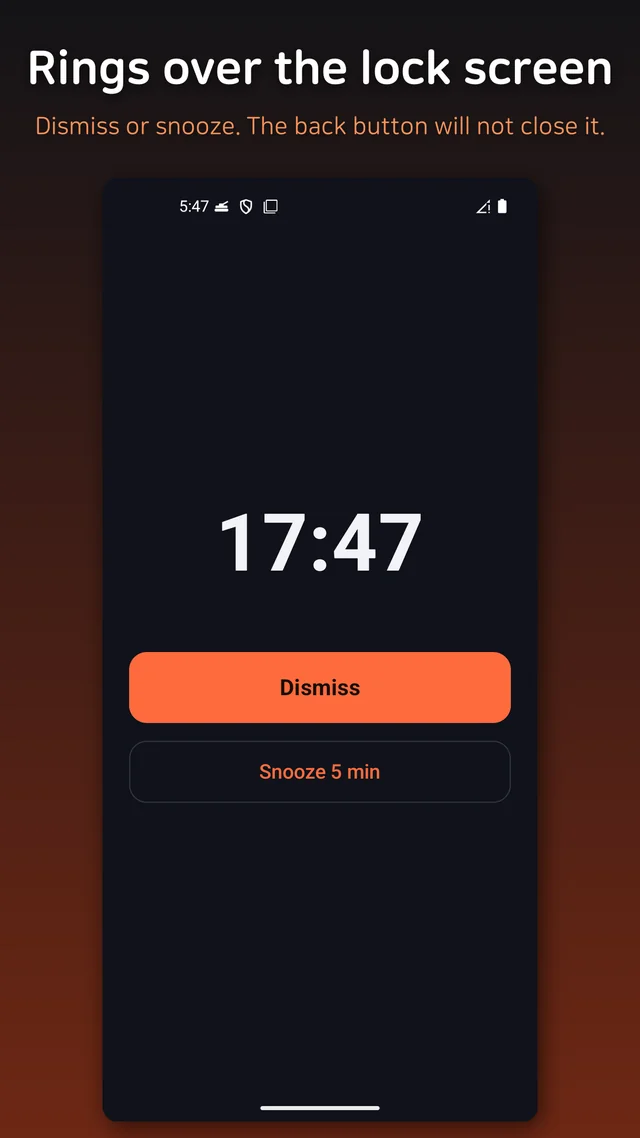
Wake Alarm is a free alarm clock that plays on the alarm stream, so it rings in silent and vibrate modes. Before the alarm fires it raises the alarm volume to a level you choose, up to maximum, and restores your previous volume afterwards. Do Not Disturb bypass is optional and needs you to grant notification policy access once. It also offers two optional missions (a short sum or shaking the phone), a gradual volume ramp-up, snooze of 1, 5, 10 or 15 minutes with a cap of 1, 3 or 5 snoozes, and weekday repeat. Alarms are re-armed after a reboot, nothing needs an account, and it works offline.


Comments
Post a Comment