Clam Digging in Korea: When to Go, Where to Go, With Kids
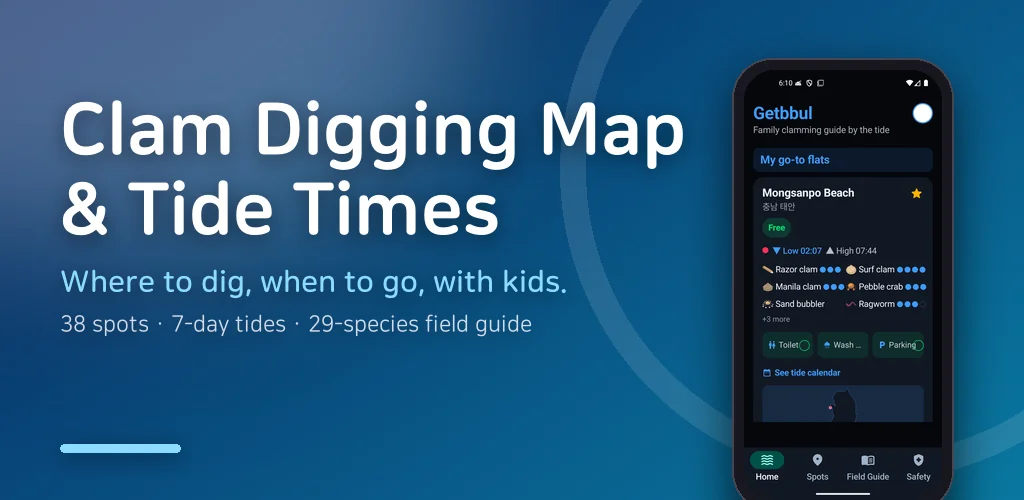
Two springs ago my six-year-old asked if we could try clam digging in Korea like his friends had. I said yes, sat down to plan it, and was still searching at midnight. Every blog said "go when the water is out". Every tide site showed me a wall of numbers. Not one of them told me what time to put the kid in the car. We went the next afternoon anyway, arrived to a full sea, and watched other families pack up from the car park.
On the drive home he asked whether we had failed. That stung, because the information existed — I just could not read it. Clam digging in Korea turned out to be less about where and more about when, and I built this app so that nobody else has to learn that from a wet car park.
▶ Get it on Google Play (free): https://play.google.com/store/apps/details?id=com.thefacegood.getbbul
Clam digging in Korea is a timing problem first
The tide moves twice a day and shifts by roughly fifty minutes every day. So a mudflat that is bare at ten in the morning this Saturday is bare at dusk a week later. If you pick a place first and then hope the weekend is a good day, you are gambling. If you look at the tide first and then pick a place, you win most weekends.
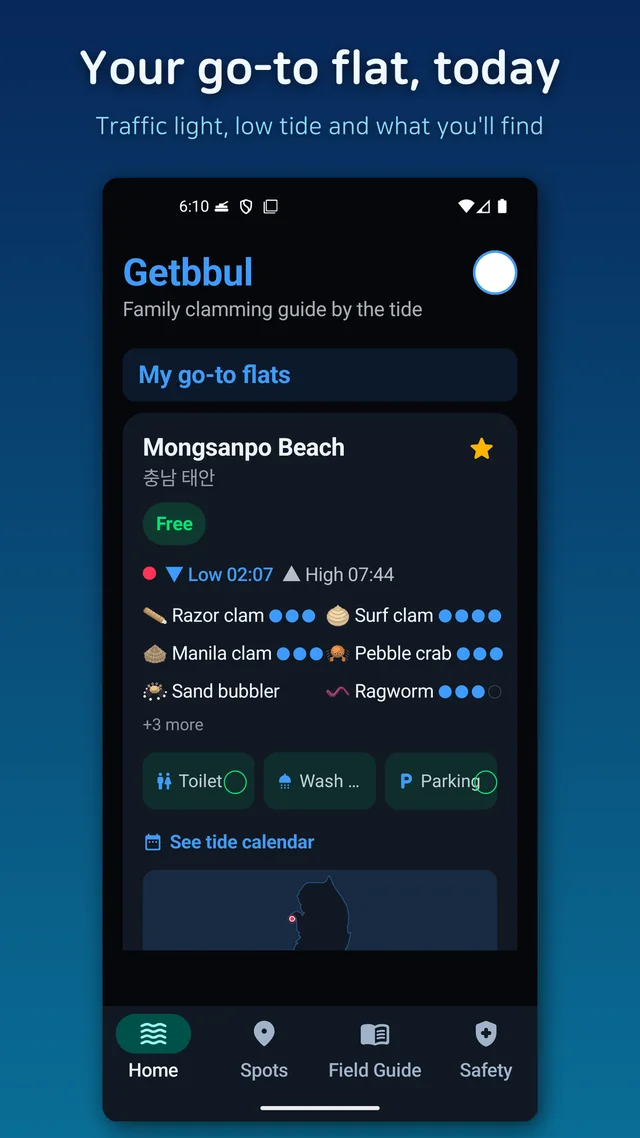
That is why the app opens on a schedule rather than a map. Today and the next seven days, each marked with whether the low tide is in the morning or afternoon and whether it is an easy day with children. I plan on Thursday night from this screen, and it has not sent us to a flooded beach since.
Tide times as a sentence, plus a traffic light
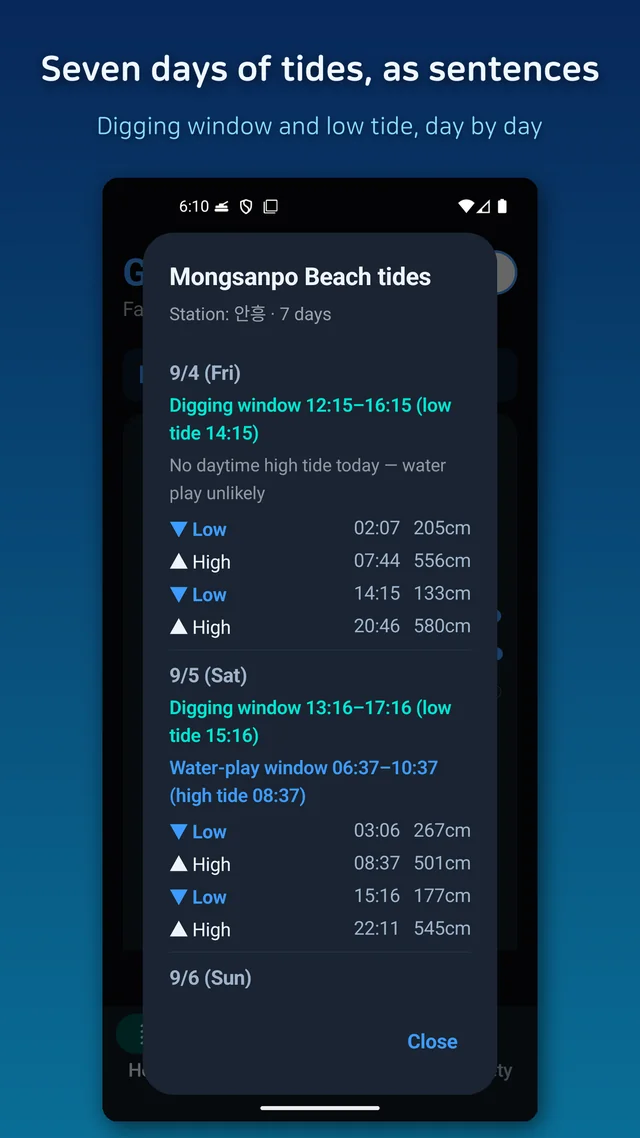
The underlying numbers are published by Korea's national hydrographic agency (KHOA), as a list of times and heights in centimetres. Showing that as-is would make my app exactly the site I was squinting at for an hour. So before any table, the app writes one sentence: a golden window, the couple of hours either side of low tide when digging is good, and the low tide time in brackets.
Under it there is a traffic light. Green means dig now, red means the water is coming back and it is time to pack the bucket. On a beach with a wriggling child you do not read paragraphs; you glance at a colour. If you turn on the morning alert, the golden window for your usual flat arrives as a single line each day, and it switches off from the home screen when you are done for the season.
38 mudflats on one map, with the facts a parent actually needs
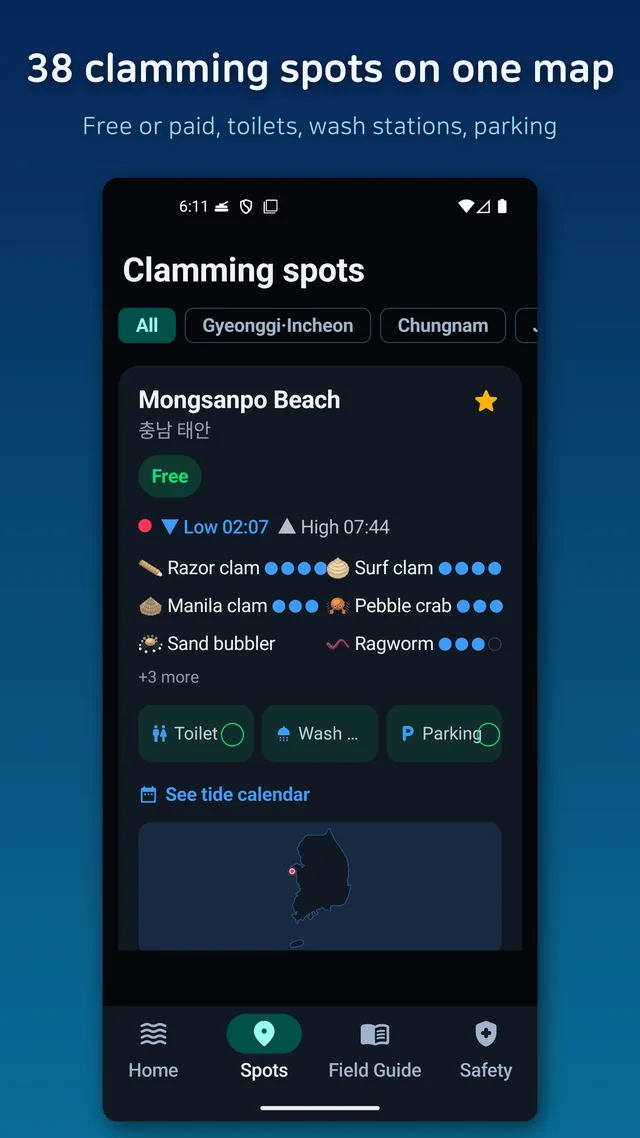
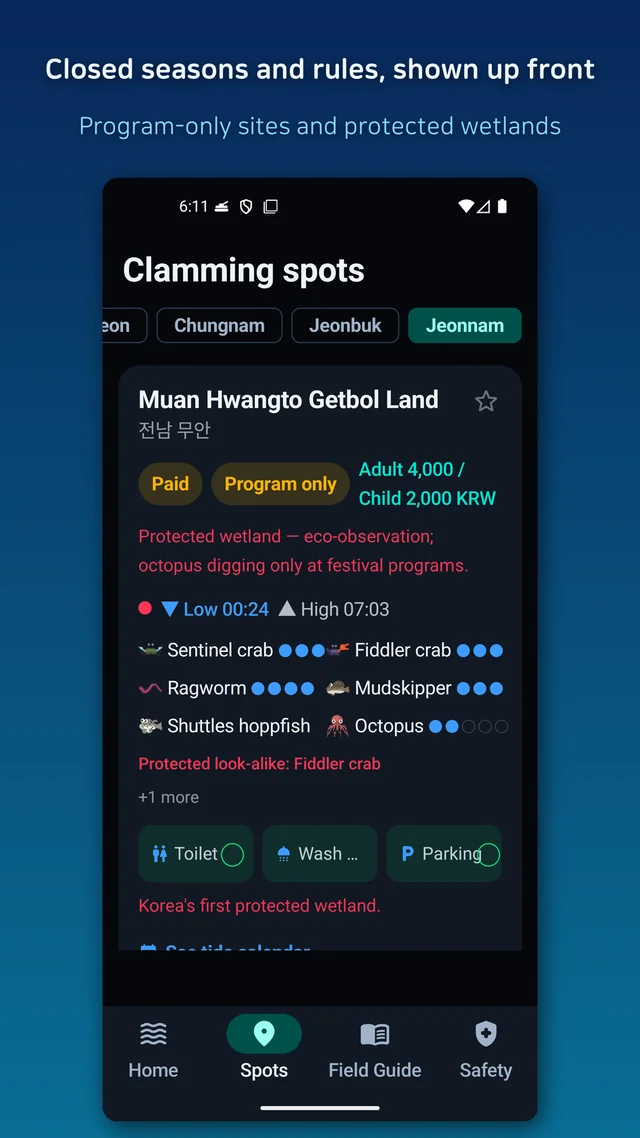
Collecting the clam-digging spots took longer than the tide code. Entry fees are mentioned in blog posts from years ago. Whether there is a toilet, a place to rinse feet, or parking — the things that decide whether a family day goes well — were written down almost nowhere. So the app puts 38 spots on one map, each tagged free or paid, with facilities listed, sorted by distance from you, and with favourites pinned to the home screen.
Every place also shows what you are likely to find there, because a beach famous for surf clams is a different day out from one full of razor clams. And since I cannot keep 38 places current alone, every fact has a yes-it's-there / no-it's-not button, plus a written report if something changed. That is how I hope to find out when a fee goes up.
The day you dig nothing, and the 29-species field guide
This is the part I did not plan and now think matters most. Some days the clams just do not show. Adults shrug; a child does not. But a mudflat is full of other things — crabs sprinting sideways, sea stars in pools, anemones on rocks — and naming them turns a bad day into a good one.
So the field guide of 29 species is sorted by what you do with each: dig and take home, fun to catch, find and watch, and handle with care. There are photos and drawings for the "what is this" moment, and a difficulty rating for kids that I assigned by actually taking mine along. There is also a section on what happens after: how to purge sand from each species and how long it keeps, because the first batch I ever brought home went straight in the bin.
Safety and the rules I did not want anyone to learn the hard way
Mudflats look flat and harmless. Incoming water can move faster than a walking adult, and it can fill a channel behind you before you notice. The app repeats the same advice wherever it shows a window — decide your leaving time before you step out — and lists the small things that hurt if you do not know them — summer jellyfish sting even when dead, for instance.
The rules side is similar. Some species have closed seasons, some wetlands are observe-only, and some sites allow digging only inside a designated programme. Rather than let anyone find out from a warden, the app shows badges on the species and the spots this applies to.
Who this is for
- Parents planning a first clam digging trip and not sure where to even start
- Anyone who wants to find the right beach but keeps getting the time wrong
- People who cannot turn a tide graph into a decision
- Families who need to know about toilets, rinsing stations and parking before leaving
- Anyone who wants to know what to do with the bucket once it is home
Download (Google Play, free): https://play.google.com/store/apps/details?id=com.thefacegood.getbbul
※ Use the tide and safety details as a rough guide, never as the final word: on-site signage plus the official weather and coast guard bulletins come first. Entry rules, charges and seasonal closures are set by each local government and may change with no warning.
The data was gathered by one person, so there will be gaps and mistakes. If a place looked different when you went, tell me through the app and I will fix it. A rating or a short review helps more than you would think. I hope you catch the tide this season.


Comments
Post a Comment