Wheelchair Accessible Korea: A Map That Cites Its Sources
I built a wheelchair accessible Korea map: places in Korea with a source for every fact, a date next to it, and an empty box wherever nobody has checked. That is the whole product. It has no clever features, and the empty boxes are the feature.
Here is why. Before this app my family phoned ahead. Every time. "Is it accessible?" "Yes, no problem." Then we would drive an hour and meet five steps at the door, because the person who answered the phone and the person who has to get a chair through the entrance mean different things by "no problem". The worst part was never the steps. It was explaining to my child, in the car, that we were going home.
▶ Get it on Google Play (free): https://play.google.com/store/apps/details?id=com.thefacegood.hamkkeplace
Why a wheelchair accessible Korea map needs a date on every line
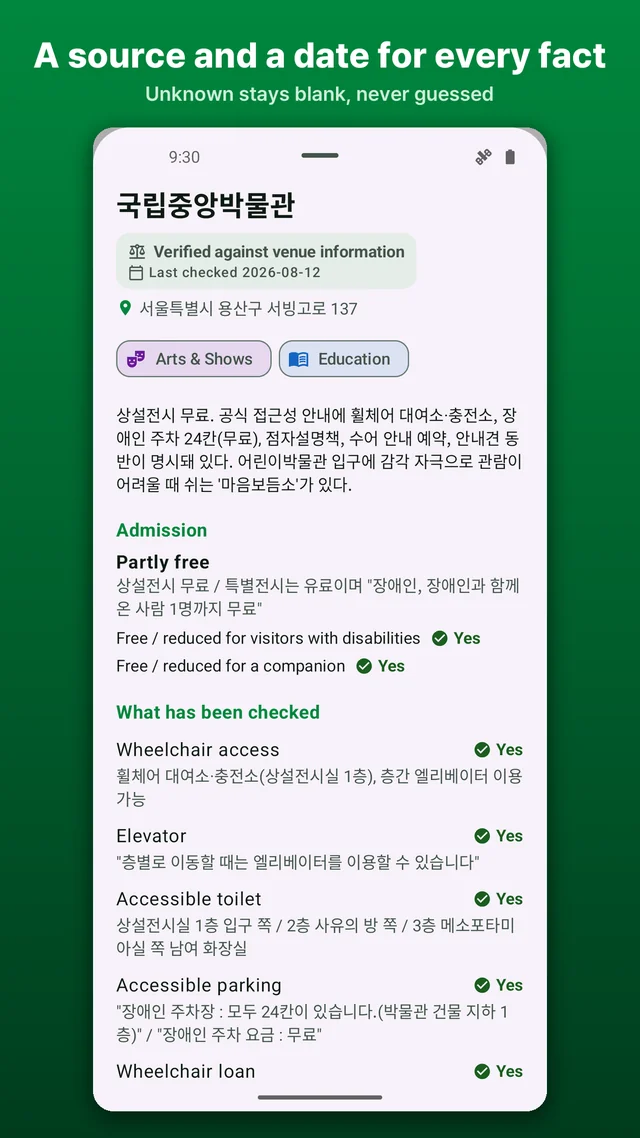
Accessibility information goes stale faster than restaurant menus. A ramp gets removed in a renovation, a lift breaks and stays broken, a venue changes its policy on strollers. A listing that says "ramp: yes" without saying who checked and when is not information; it is a rumour with a tick mark.
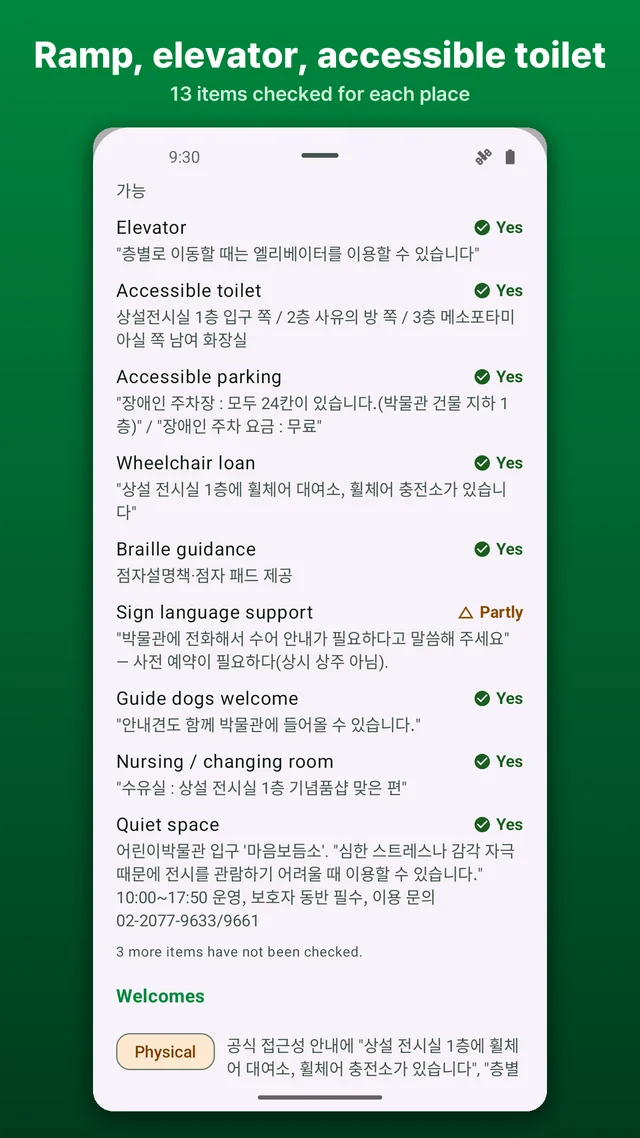
So for every place the app records the ramp, the lift, the accessible toilet, the nursing room, the changing table, the parking, the height of the door threshold, and whether braille or sign-language help exists — and next to each of those, who reported it (an organisation or a person) and on what date. If the venue itself published the detail, you can see that. If I checked it on a visit, you can see that too. You decide how much to trust a line from 2023.
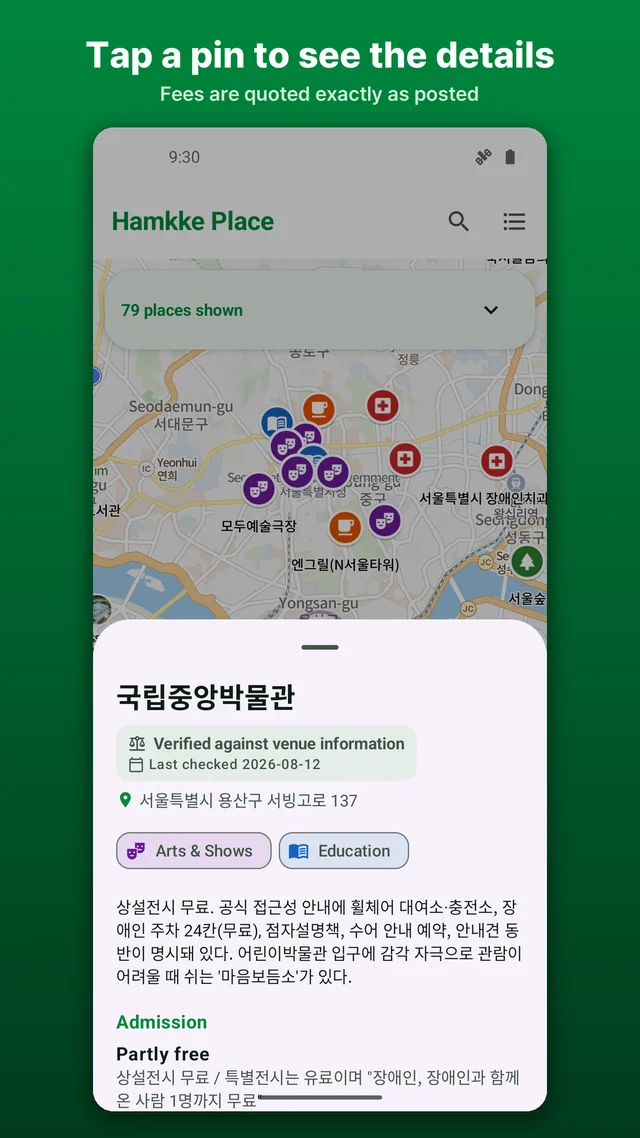
Admission fees follow the same rule. They are stored in the venue's own wording, so "adults 3,000 won, disability card holders free" stays exactly that, instead of collapsing to "paid" and losing the part that matters to you.
What the map shows, and how to filter it
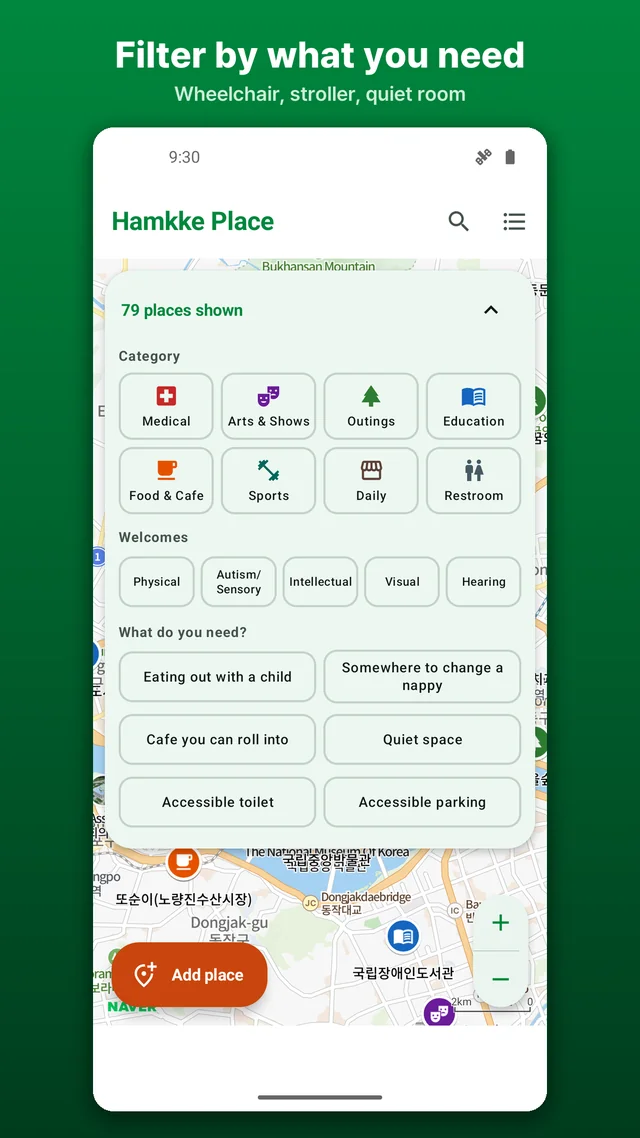
Open the app and you get a map with pins. Places fall into eight categories — cultural venues, the outdoors, places of learning, sport, eating out, medical facilities, everyday errands, and toilets. Public venues such as museums and libraries came first, because they publish their access details properly. Restaurants and markets are much thinner, and I will be honest that the map cannot fill those alone.
Then you filter by what you need. Chair user, low vision, hard of hearing, developmental disability, or pushing a stroller — a parent pushing a pram and a person using a chair look at the same building and worry about different things, and the map should answer both. A list view is always one tap away, because a map by itself is not readable with a screen reader, and an accessibility app that is not accessible would be a poor joke.
The rule that cost me the most: unknown stays unknown
Early on I wrote sample entries the way you would expect a big venue to be — surely a national museum has an accessible toilet. Then I went looking for the source and found nothing. I deleted every one of those lines. I also nearly copied "free stroller rental" into the wheelchair rental field, because they sat next to each other on the venue's page. Similar-looking, entirely different facts.
The temptation never goes away, because a screen full of "not checked" looks like an unfinished app. But an invented sentence sends someone back home from the entrance, and the cost lands on them, not on me. So blanks stay blank. If you see a lot of "not checked" in this app, that is the promise being kept.
Visit notes that take seconds, and adding a place you know
After a visit you can leave a note, and it is made of fixed options rather than a text box: ramp confirmed, accessible toilet confirmed, differed from the listing, and so on. It takes seconds, and it means the same thing to every reader. If what you found did not match, there is a direct line to the developer to say so.
You can also add a place. The only requirement is that you checked it yourself. Accessibility knowledge in Korea is scattered across personal spreadsheets, forum posts and phone calls, and a single truthful note from one visitor can rescue somebody else's weekend.
Who this is for
- Families with a wheelchair user planning an outing anywhere in Korea
- Parents pushing a stroller who notice every step and threshold before anything else
- Anyone travelling with a child who needs a quiet room more than a gift shop
- People who cannot relax until they know where the accessible toilet is
- Expats and visitors who cannot phone ahead in Korean and need the facts in English
Coverage started around Seoul and is spreading to Busan, Daegu, Gwangju, Jeju and Jeonnam, one checked place at a time.
Download (Google Play, free): https://play.google.com/store/apps/details?id=com.thefacegood.hamkkeplace
※ Each entry is only as current as the date stamped on it. Renovation work, a lift that has stopped working, or a changed policy can make it wrong, so ring the venue ahead of any visit that matters. What the app records is the physical layout of a place — it is not a medical or welfare service.
This map is too big for one person. One checked place from you, or one visit note, is genuinely how it grows. If something is wrong or missing, tell me from inside the app and I will fix it.


Comments
Post a Comment